← All drops

Drop 006Replaces Dropover $7 one-timeShipped — native macOS, no permissions, no network

ledge

A shelf in the corner of your screen that asks for no permissions.

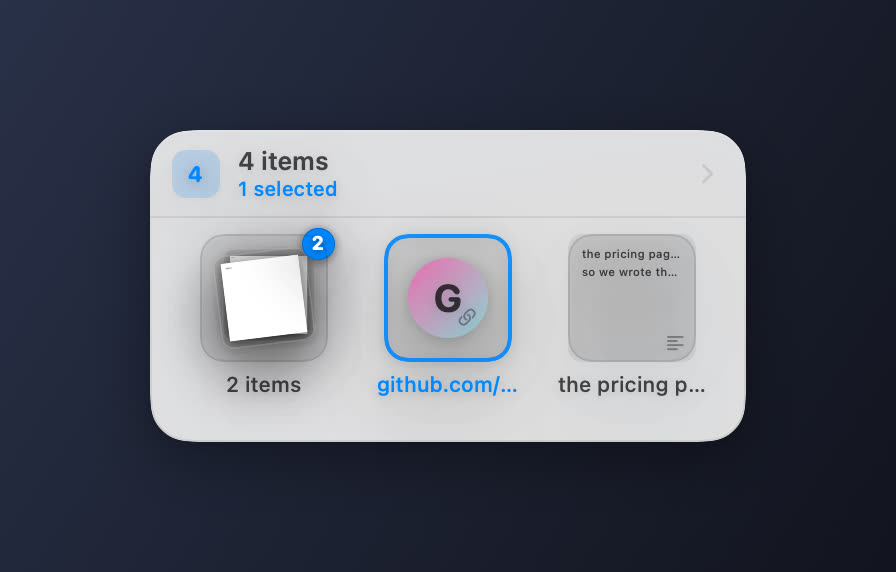
The Ledge shelf holding a stack of files, a link and a text snippet
A stack of two files, a link, and a text snippet. Stacks fan out and count themselves; links get a colour derived from their domain, because fetching a favicon would mean touching the network.

A box docked in a screen corner, invisible until you drag something at it — then it comes out to take the drop and slides away when you are done. Native macOS, built from source on your own machine. It asks for no Accessibility prompt, no Full Disk Access, no login, and it never touches the network.

Why it works

Zero permissions, by construction

macOS lets any app watch mouse events globally without permission — only keyboard monitoring needs Accessibility. So the shelf wakes on where your pointer is, never on what you type. The global shortcut goes through Carbon’s RegisterEventHotKey, which also needs none. That is why a 1990s API is in there.

Three independent ways in

A hot corner, a 10pt edge tab that is itself a drop target, and a hotkey. Global mouse events during another app’s drag session cannot be relied on, so the edge tab works even when no pointer event ever reaches Ledge.

Text and links become real files

A snippet is mirrored to a .txt and a link to a .webloc the moment it lands, so Finder accepts them — while text fields still receive the plain string.

It never touches the network

No telemetry, no account, no updates, no model. The only drop with no .env, because a shelf that needs an API key is the joke this whole project is about.
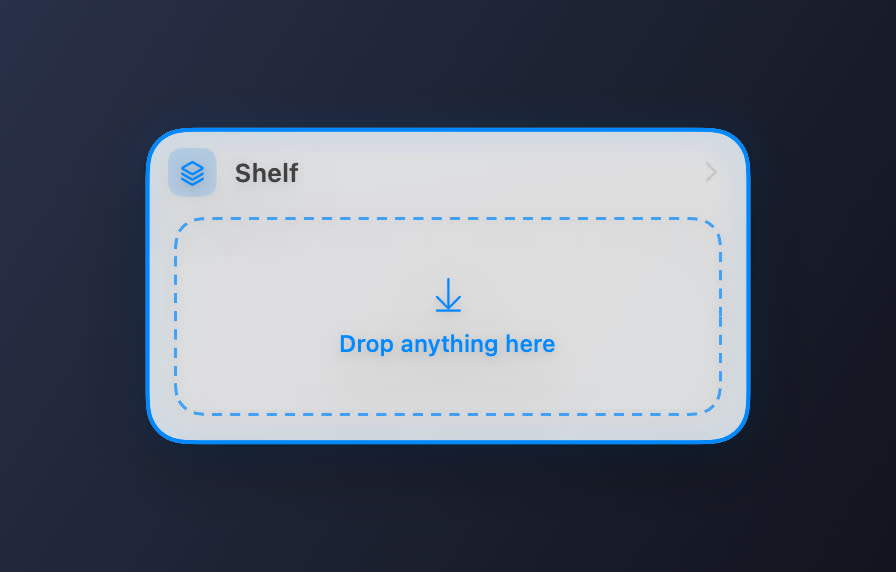
An empty Ledge shelf with a drag hovering over it
Empty, with a drag hovering. The shelf comes out to meet the drag rather than waiting to be found.

Run it

shell
git clone https://github.com/openwarehq/ledge
cd ledge
docker compose up

Then open the app and connect a model — pick a provider, paste a free key, done. It also reads a repo-root .env if you prefer a file.

Measured

Tests green
58
Build warnings
0
Permissions requested
0
Network calls
0

What it doesn’t do

Stated up front, because scope discovered at 2am is a betrayal.

  • No Handoff, no cross-device sync, no cloud. Real Handoff needs a paid Apple developer account and iCloud entitlements, which an app you build yourself cannot have. AirDrop via the share button is one click and needs no account.
  • Not notarized, no signed DMG. You build it from source; it is ad-hoc signed on your own machine, which is why Gatekeeper never gets involved.
  • One shelf, not many. If you want three floating shelves at once, Dropover does that and does it well.
  • No upload targets — no S3, Dropbox, Imgur or link shortening. Nothing here talks to a server.
  • It doesn’t watch your Desktop for screenshots. Drag them in; it won’t take them.
  • macOS 14+, Apple silicon or Intel. No iOS, no Windows, no Linux.